 |
 |
Using QuickTime on this SiteThis site makes use of Apple's QuickTime technology. One of its features is the ability to automatically select a specific version of a file for your connection speed. In order to use this feature, you must tell QuickTime your connection speed.
1. Click on the triangle and drag to "Plug-in settings..."
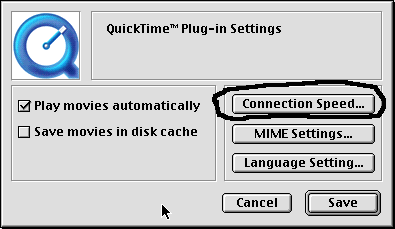
2. Then click on the button marked connection speed.
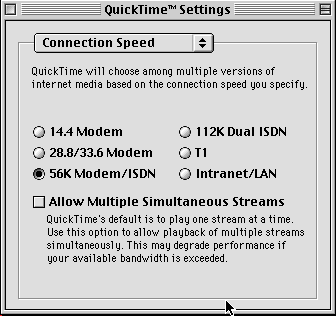
Then select the speed that most closely matches your connection speed (Cable nd DSL users should select T1). |